Plans, Reports, and Documents
Every plan includes refunds and reporting. Card processing runs through your own Stripe or Square account, plus your processor’s fees and a small platform fee that together add up to the “3.5% + $0.30 per transaction” shown on the pricing page, on every plan.
Free
- Up to 5 folios sent per month
- 1 user per company
- No custom branding
- 90 days of reporting data saved
Pro: $99/year
- Unlimited folios
- Up to 5 active users
- Custom branding: your own logo, and the option to hide the “powered by” footer
- 5 years of reporting data saved
- ID verification add-on: optional, billed per verification
- Digital Signatures: have the payer accept your terms and sign before paying (see Digital Signatures)
- PDF import: import folio line items from a PDF (uses your own Anthropic API key; see below)
Enterprise
Custom solution, SSO, API access, and unlimited users. Contact us to talk about your needs.
Upgrading and billing
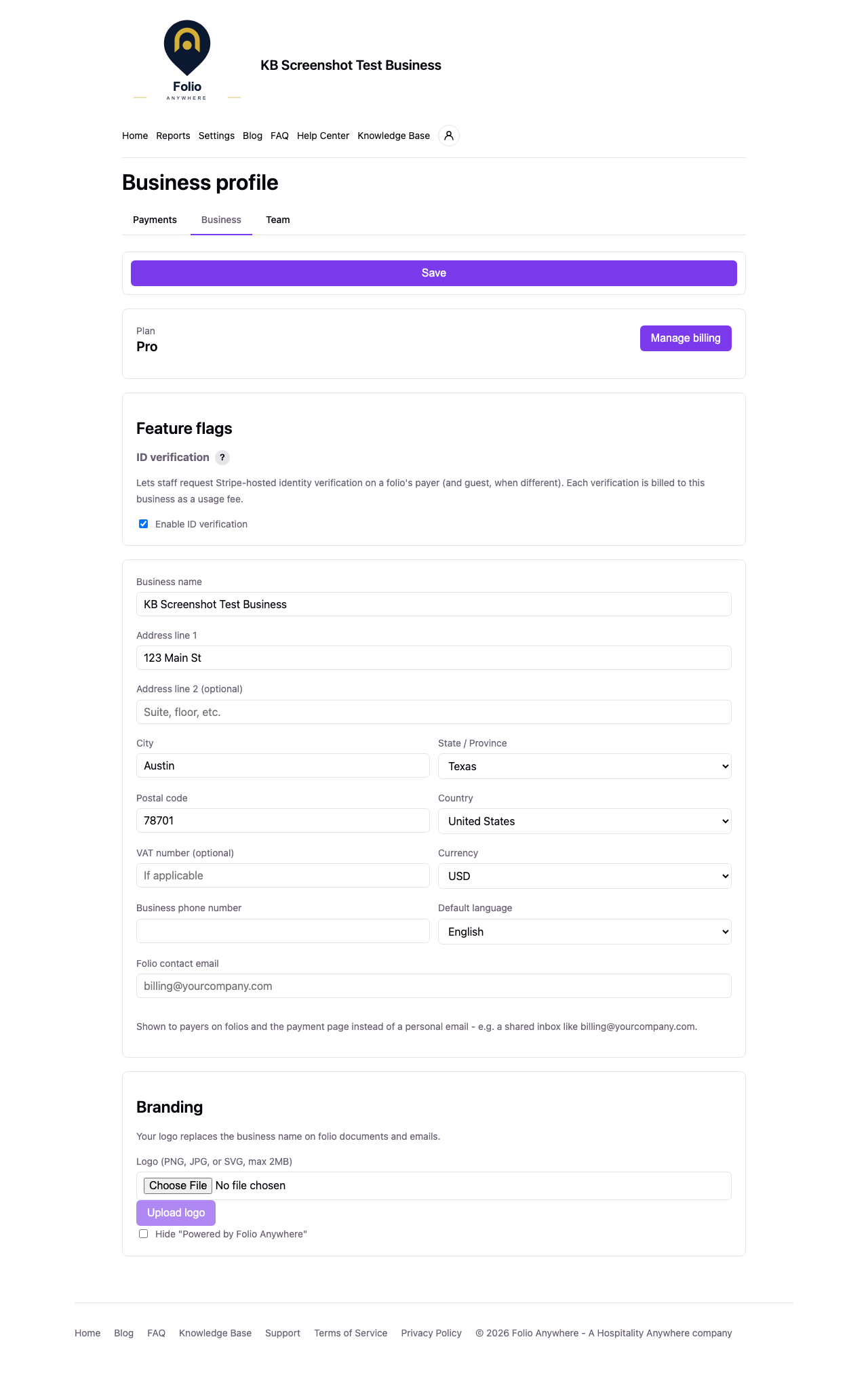
From Settings, Business profile, the Plan card shows your current plan. On Free it shows how many of your 5 monthly folios you have sent this month, plus an “Upgrade to Pro” button. On a paid plan you get “Manage billing”, which opens your Stripe billing portal, and the plan expires automatically if the subscription lapses.
Reports
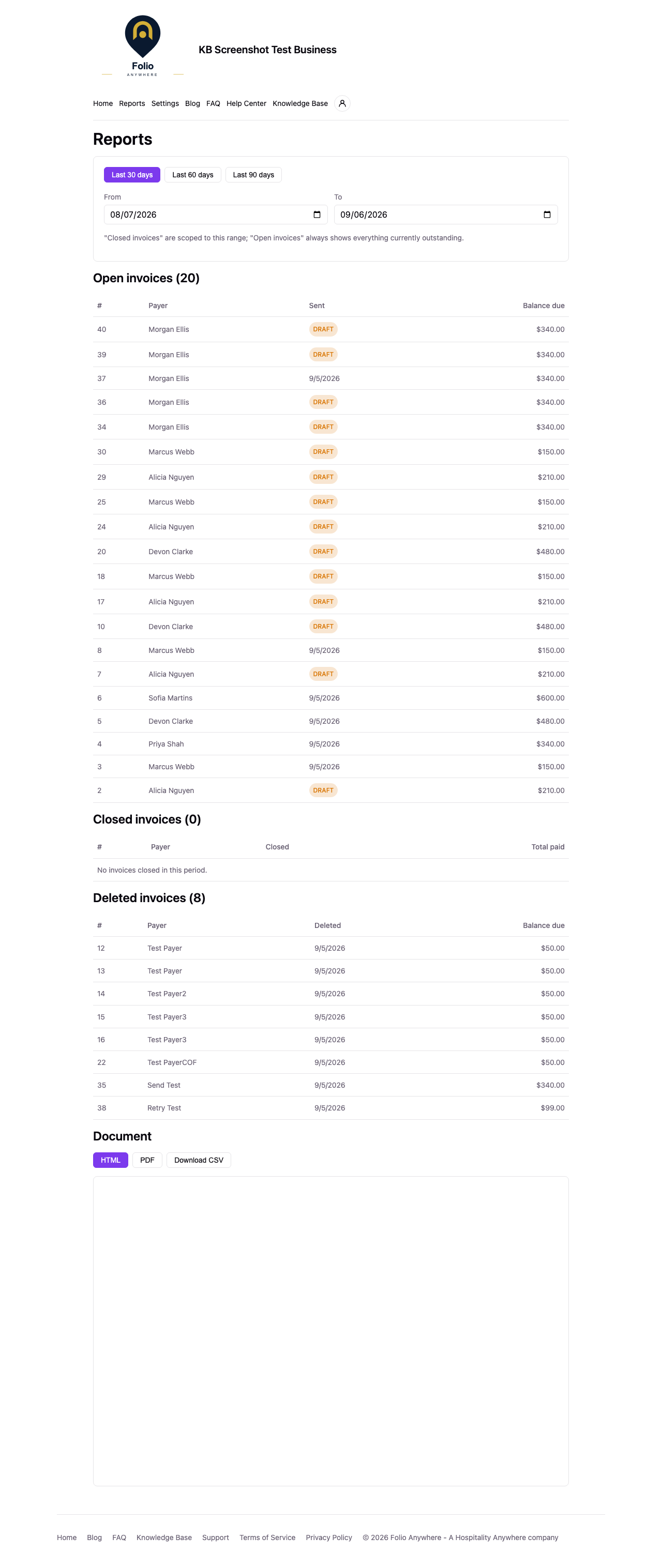
Your Reports page breaks folios into three groups: open invoices (currently outstanding), closed invoices (paid or refunded), and deleted invoices. You can pick a range with the Last 30, 60, or 90 day presets, or From/To dates. Open invoices always show everything currently outstanding; closed and deleted invoices are scoped to your chosen range. Free plans have reporting limited to the past 90 days. Nothing is ever actually deleted from your account for being on Free, so upgrading to Pro immediately reveals your full 5-year history.
Reports can be previewed in-app as HTML or PDF, and downloaded as a CSV.
Documents
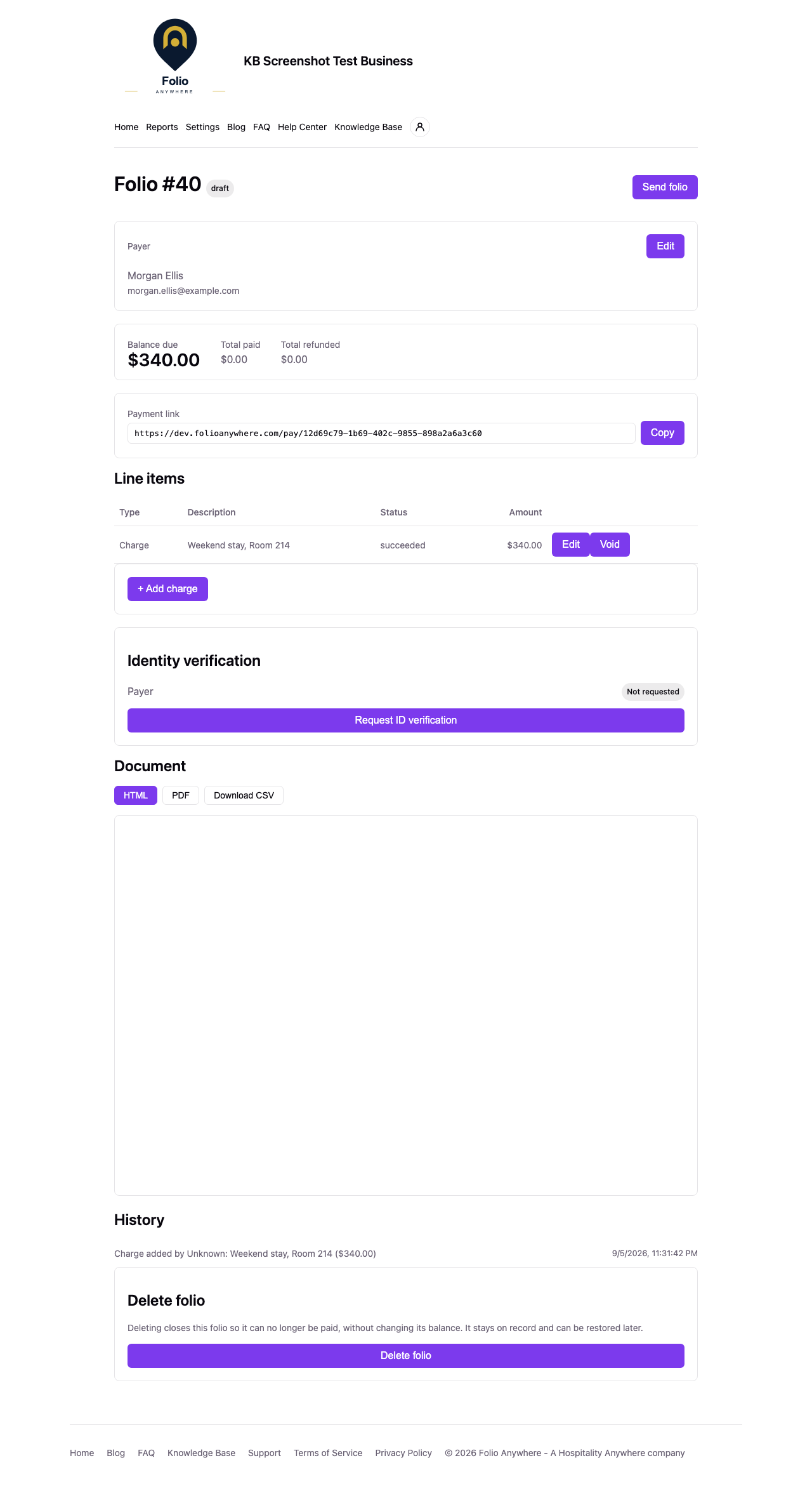
Every folio is a clean document, viewable in-app, emailed to the payer, downloadable as a PDF, and exportable as a CSV, both by you and on the public payment page. Pro businesses can brand documents and emails with their own logo, and every business can set a folio contact email (from Settings, Communication) shown on the document.
See Creating, Sending, and Getting Paid on a Folio for more.
Business profile settings
From Settings, Business profile, an owner can edit the business name, address, city, state, postal code, country, VAT number (optional), currency, phone number, and default language. Values like currency and default language apply to the new folios you create. Only an owner can edit these fields, though owners and super users can view them.
Communication settings
Settings, Communication holds the settings for what your payers receive:
- Folio Email: the contact email shown to payers on folios and the payment page instead of a personal email, for example a shared inbox. A new address takes effect once it is confirmed from the verification email. Only an owner can change it. When a folio with a Digital Signature is paid, a copy of the signed folio also goes to this address, unless it is the address of the team member who sent the folio.
- User Acceptance Templates (Pro): the terms used by Digital Signatures. Owners and super users can add, edit, delete, and choose the default template.
PDF import
When enabled for the platform, the New folio screen offers an “Import from PDF” option. It lets you upload an existing folio, invoice, or proforma PDF from your PMS (Visual Matrix, Opera, or any other source) and converts it into line items for you to review before creating the folio. It requires the Pro plan and a connected Anthropic API key, which you manage in Settings, Business profile. PDF import calls Anthropic’s API directly using your own key, so usage is billed to your Anthropic account, not to Folio Anywhere.